Check planning constraints before you start an application
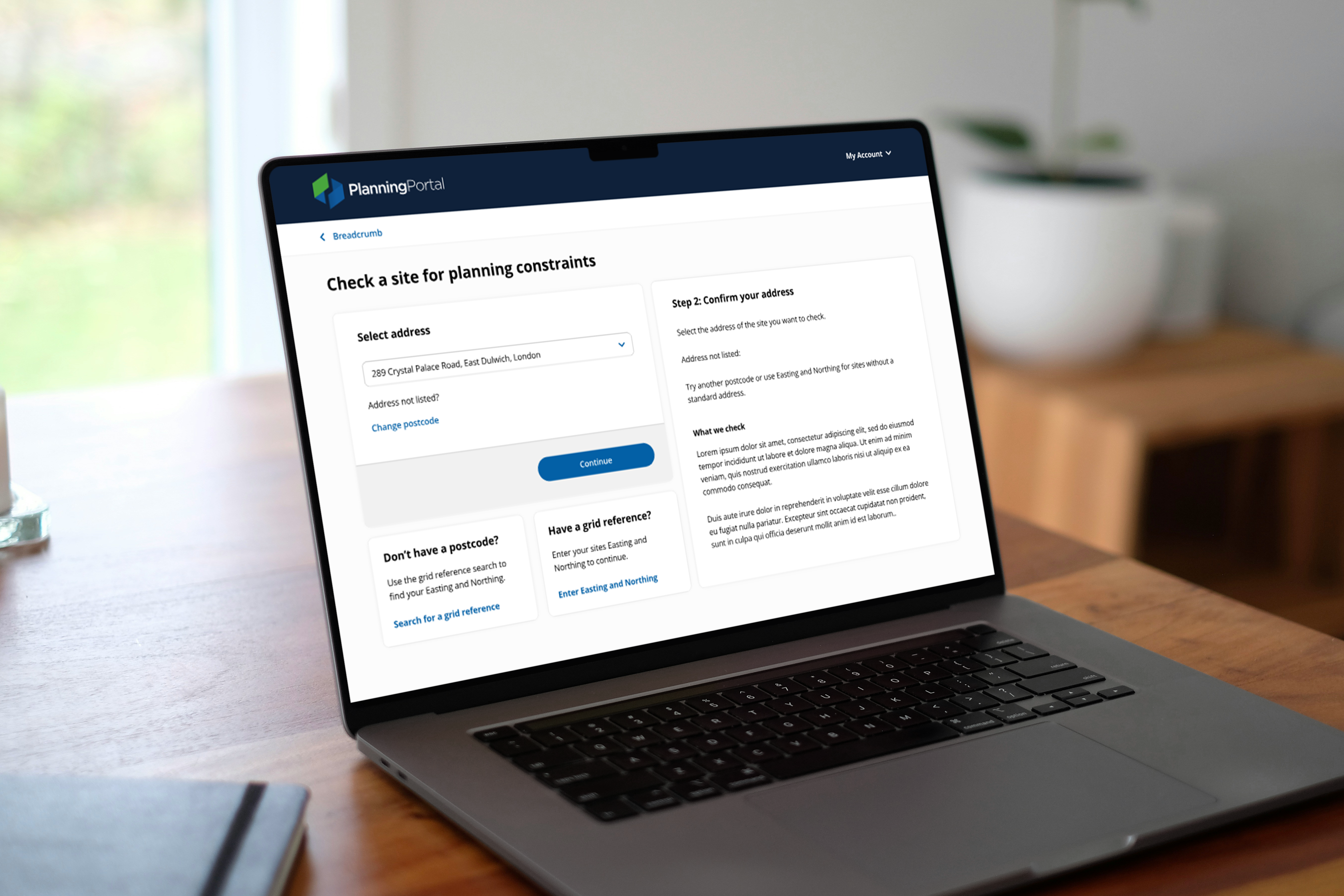
You can now use Planning Portal’s Constraints Check before creating an application, helping you identify potential site constraints and save time on early research.
Understanding what could affect a site is an important part of planning a project.
Earlier this year, we introduced constraint checks within the Planning Portal application journey. Now, you can access this information before you begin preparing your submission too.
Whether you’re exploring plans for your own home or researching a site for a client, the Constraints Check highlights potential planning constraints along with clear explanations and relevant local authority guidance.
Explore site constraints when you need to, no application required
Early site research shouldn’t mean starting an application before you’re ready.
The Constraints Check gives you an initial view of potential constraints without needing to create or work through a planning application first, saving time when you need quick answers.
When you’re ready to start your application, the checks will be available within the journey too.
Identify important considerations earlier
Finding out about a potential constraint once preparation is already under way can mean revisiting plans or gathering additional information.
Looking into constraints earlier gives you the opportunity to review factors that may influence your proposal while there is still time to respond. It can also help you anticipate additional application requirements and see where your design may need to be adapted.
For agents, architects and planning consultants, it’s a quick way to pull together site information for clients, especially when working in an unfamiliar area. For homeowners, it provides a clearer starting point before plans progress.
Better insight from the start means more opportunity to investigate and prepare, helping you submit a more complete application and reduce avoidable validation issues.

How to get started
To check a site before starting an application:
- Log in to your Planning Portal account.
- Open the Constraints Check.
- Enter a postcode and select the site address.
- Review the results and explore the supporting guidance.
Clear guidance to inform your next steps
The Constraints Check currently assesses your selected site against over 20 planning constraints, including:
- Flood risk zones
- Conservation area
- Green belt
- Listed buildings
- Tree preservation zones
You’ll see which constraints have been identified and which have not, making it clear what has been assessed and providing a useful basis for further research.
Clear explanations and links to relevant local authority guidance help you understand what may need attention and how to factor it into your preparation.
We’ll continue to expand the range of checks over time, helping you explore more of the planning considerations that could affect your site.
Supporting more of your planning journey
This latest development builds on our SmartApply enhancements and our continued work to help professionals and homeowners plan, prepare and apply with greater confidence.
By extending constraint checking beyond the application itself, we’re making useful site information accessible when you need it, from initial research through to preparing your submission.
Need to explore potential planning constraints for your site? Try the Constraints Check today.
Located in Wales? Please use our Welsh Constraints Check.


